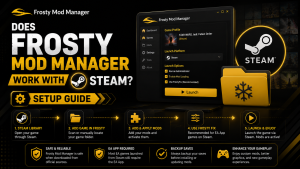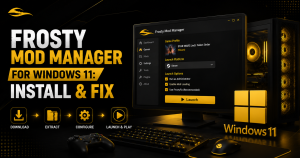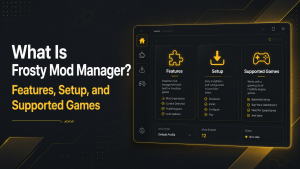
Frosty Mod Manager is a tool for installing and managing mods for games built with the Frostbite engine. It helps players add custom content, improve visuals, change gameplay features, and organize multiple mods through a single interface.
Frosty Mod Manager is a popular modding tool designed for games built on the Frostbite engine, allowing players to install, organize, and manage mods with a simple interface. It makes it easy to customize supported games by enabling or disabling mods without permanently altering the original game files.
In this guide, you’ll learn what Frosty Mod Manager is, its key features, the steps to install and configure it, and the games it supports. Whether you’re new to game modding or looking to optimize your modding setup, this article will help you get started safely and efficiently.
What Is Frosty Mod Manager?
Frosty Mod Manager is a community-developed mod management program for Frostbite-based games. It allows users to import, enable, disable, and arrange compatible mod files without directly replacing the original game files.
The tool also provides control over the load order. This feature helps users decide which mod should receive priority when two or more mods change the same game content.
How Does Frosty Mod Manager Work?
Frosty Mod Manager reads the selected game files and allows users to import compatible mods. Users can choose which mods to apply, arrange their priority, and launch the game through the manager.
The tool creates modified data that the game can read. This allows mods to work without manually changing each original game file.
Main Features of Frosty Mod Manager
Frosty Mod Manager provides several tools for installing and managing mods in supported Frostbite games. Its main features include:
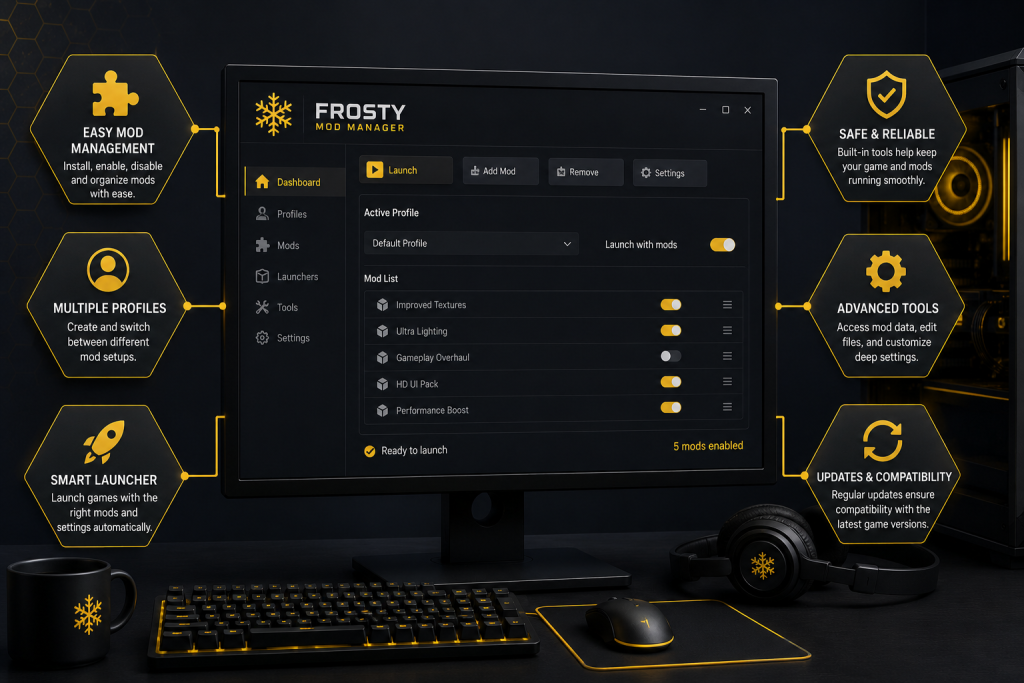
- Mod Installation: Users can import compatible mod files directly into the manager.
- Enable and Disable Mods: Mods can be enabled or disabled without deleting them.
- Load Order Control: Users can arrange mods to decide which mod receives priority.
- Game Profile Support: The manager can create separate profiles for different supported games.
- Mod Conflict Management: It helps users identify problems when multiple mods change the same game files.
- Frosty Editor Support: It works with Frosty Editor, which allows mod creators to build and export custom mods.
- Direct Game Launching: Users can launch the game through Frosty Mod Manager with selected mods applied.
What Games Support Frosty Mod Manager?
Frosty Mod Manager supports many games developed with the Frostbite engine. Common supported games include Dragon Age: Inquisition, Mass Effect: Andromeda, Mirror’s Edge Catalyst, Star Wars Battlefront, Star Wars Battlefront II, Battlefield 1, Battlefield V, FIFA titles, and several Need for Speed games.
Support levels can differ between games. Some profiles provide full mod support, while others may offer limited or read-only access.
How to Download Frosty Mod Manager Safely
The latest stable version is Frosty Toolsuite 1.0.6.3, released on September 29, 2023. The current Frosty rewrite is still under development and directs regular users to version 1.0.6.3 for stable use.
Download Frosty Mod Manager from the official CadeEvs/FrostyToolsuite GitHub Releases page. Open the latest release and select FrostyModManager.zip from the release files. Do not download the editor package if you only want to install and manage mods.
Avoid unofficial websites, modified installers, and unknown download links. After downloading the ZIP file, scan it with trusted antivirus software before extracting and running the program.
How to Install Frosty Mod Manager
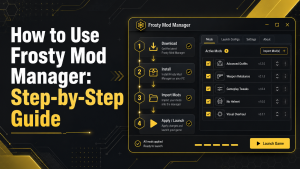
Download the Frosty Mod Manager ZIP file from the official release page. Extract the folder to a suitable location on your computer, then open FrostyModManager.exe.
When the program starts, select your game and locate its main executable file. Frosty will create a game profile and prepare the required files for mod management.
How to Add and Apply Mods
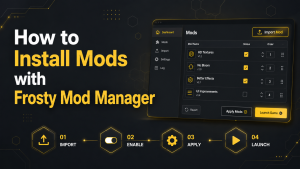
Open Frosty Mod Manager and select the correct game profile. Click the Import Mod button and select a compatible .fbmod file or a supported mod archive from your computer.
Select the imported mod, then click Apply Mod to add it to the active mod list. Arrange the load order if several mods change the same files, then launch the game through Frosty Mod Manager.
Frosty Mod Manager vs Other Mod Managers
Frosty Mod Manager is primarily designed for games using the Frostbite engine. Other mod managers, such as Vortex, support a wider range of games but may not fully support Frostbite-based titles.
| Feature | Frosty Mod Manager | Other Mod Managers |
| Main Purpose | Manages mods for Frostbite games | Manages mods for many different games |
| Game Support | Limited to compatible Frostbite titles | Supports a wider range of games |
| Mod Files | Supports Frosty-compatible mod files | Supports different mod formats |
| Load Order | Provides mod priority and load order control | Usually includes general load order tools |
| Game Launch | Often requires launching the game through Frosty | Games may launch normally or through the manager |
| Best Use | Best for supported EA and Frostbite games | Best for games outside the Frostbite engine |
Is Frosty Mod Manager Safe?
Frosty Mod Manager safe is generally considered Safe when downloaded from the official GitHub releases page. The official project makes its program files and source code publicly available, allowing the community to review the software.
A third-party security report lists the file as clean with a score of 99 out of 100. However, its recorded VirusTotal scan was completed on December 3, 2023, not in 2026. Therefore, users should scan the downloaded ZIP file again with Windows Security or VirusTotal before opening it.
Avoid unofficial installers, modified versions, and unknown download websites. Antivirus programs may sometimes flag modding tools, but each warning should be checked carefully rather than ignored.
Common Frosty Mod Manager Problems and Fixes
Frosty Mod Manager may sometimes show launch errors, missing mods, or connection problems. The following common issues can usually be solved with simple troubleshooting steps.
Problem: Game Does Not Launch
The game may fail to start because Frosty lacks administrator permission, the game path is incorrect, or the required launcher is not running.
Fix
Run Frosty Mod Manager as an administrator and select the correct game executable file. Also, open the EA App or Steam before launching the game through Frosty.
Problem: Installed Mods Are Not Working
Mods may not appear in the game if they are disabled, outdated, or incompatible with the current game version.
Fix
Check that each mod is enabled and moved to the applied mods list. Update or replace mods that do not support the latest game version.
Problem: Frosty Mod Manager Cannot Find the Game
This problem can occur when the game is installed in a different folder or its executable file has been moved.
Fix
Add the game manually and select its main executable file from the installation folder. Confirm that Frosty is using the correct game profile.
Problem: Game Crashes After Adding Mods
Crashes often happen when two mods change the same files or when a mod is damaged.
Fix
Disable recently installed mods one by one to identify the conflicting mod. Adjust the load order or remove the incompatible file before launching the game again.
Frequently Asked Questions About Frosty Mod Manager
Frosty Mod Manager is simple to use, but new users often have questions about compatibility, launching games, and support for mod files. The following answers explain the most common concerns.
Is Frosty Mod Manager free?
Yes, Frosty Mod Manager is a free community-developed tool. Users do not need to purchase a licence to install or manage supported mods.
Do I need to launch the game through Frosty Mod Manager?
In most cases, the game should be launched through Frosty Mod Manager when you want the selected mods to remain active.
Can Frosty Mod Manager damage game files?
Frosty normally manages mods without directly replacing the original game files. However, incompatible mods may cause crashes or loading errors, so users should keep backups of important files.
Why are my Frosty mods not working?
Mods may not work because they are outdated, incompatible with the current game version, disabled, or placed in the wrong load order. Reimporting the mod and checking compatibility may solve the issue.
Conclusion
Frosty Mod Manager is a useful tool for installing, organizing, and managing mods in supported Frostbite games. It offers features such as mod importing, load order control, game profiles, and simple mod activation.
For better results, users should download the manager from an official source and install only trusted mods. They should also check game compatibility, update outdated mods, and resolve conflicts before launching the game.
Latest Post: